Office hours in Google Forms, one person per appointment
List your appointment times and let one person book each. A booked time closes on the form a few seconds later. If someone else picked it at the same moment, they go on the waiting list and are told by email.
 Install from Marketplace
Free for one form up to 25 responses. Then $12 once, with no subscription.
Office hours, Tuesday
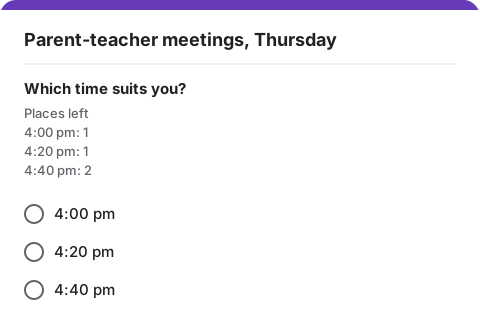
Choose an appointment (multiple choice)
- 2:00 pm1 place
- 2:20 pmFull · 2 waiting
- 2:40 pm1 place
- 3:00 pm1 place
Who it is for
People book on your ordinary Google Form. If you already share a form for this, you can add Choice Limit to it and keep the same link.
Office hours
- Lecturers and teaching assistants holding office hours.
- Tutors, school counsellors and advisors seeing people one at a time.
- Small offices booking short appointments without a booking system.
Office hours, Tuesday
Choose an appointment (multiple choice)
- 2:00 pm1 place
- 2:20 pmFull · 2 waiting
- 2:40 pm1 place
- 3:00 pm1 place
- 3:20 pm1 place
- 3:40 pm1 place
The options and their limits
Six appointments of 20 minutes, one person each. A booked time closes on the form straight away.
In this example 2:20 pm is full and two people are waiting for it.
6 places in total. That fits the free plan, which covers up to 25 responses after limits are turned on.
How to set it up
Start from a copy of this form, or from a form you already have.
- 1Add the timesMake a multiple-choice question with one option per appointment, and a short-answer question for the person's name.
- 2Collect email addressesIn the form's Settings, under Responses, turn on Collect email addresses.
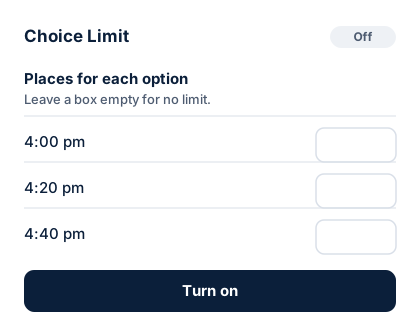
- 3Set 1 beside every timeOpen Choice Limit from the add-ons button and type 1 beside each appointment.
- 4Choose Hide it from the formBooked times then disappear, and people only see what is free.
- 5Turn on and sharePress Turn on, then share the link, for example on your course page.
Office hours, Tuesday
You are on the waiting list for 2:20 pm
Every place for 2:20 pm is taken at the moment, so you are on the waiting list.
Option
2:20 pm
On the waiting listWhat people see
People fill in your ordinary Google Form. Under the question they see how many places are left for each option. A full option is hidden, or marked "full, join the waiting list".
- Anyone who joins a waiting list gets an email with their number in line.
- When a place opens up, the next person gets it and an email saying so.
- Emails come from your own Google account, so replies come to you.
Good to know
What Choice Limit does and does not do for this kind of form. Read the help page for more.
Someone cancels
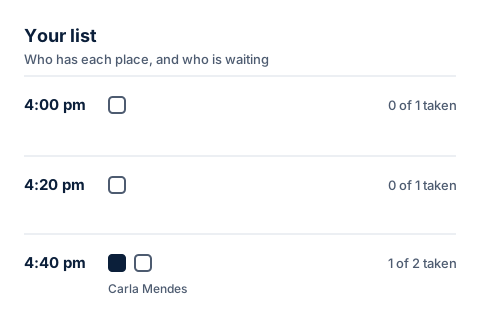
Press Free this place in Your list and the time opens again on the form.
Calendar invites
Choice Limit does not add bookings to a calendar. If you want calendar invites, Google Calendar's appointment schedules may suit you better.
Two people at the same moment
If two people book the same time within a few seconds, the second goes on the waiting list and gets an email.
Every week
Over a term, your responses can pass 25, the free plan limit. Unlocking costs $12, paid once.
Set limits on your office hours form
Install Choice Limit from the Google Workspace Marketplace, then make a copy of this form. Free for one form up to 25 responses, then $12 once.