Volunteer shifts in Google Forms, with a set number of helpers per shift
Choose how many helpers each shift needs. A full shift closes on the form, and extra volunteers go on a waiting list in case someone drops out.
 Install from Marketplace
Free for one form up to 25 responses. Then $12 once, with no subscription.
Summer fair helpers
Which shifts can you help with? (checkboxes)
- Setup, 8:00 to 9:30 am4 helpers
- Cake stall, 9:30 to 11:00 amFull · 2 waiting
- Cake stall, 11:00 am to 12:30 pm3 helpers
- Raffle, 10:00 am to 12:00 pm2 helpers
Who it is for
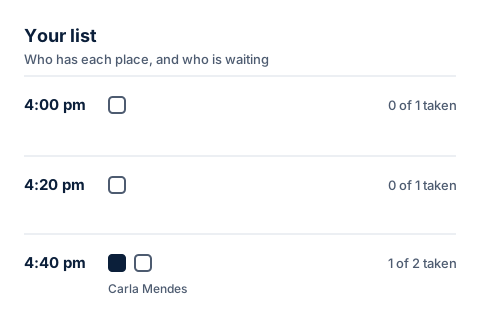
Volunteers pick their shifts on your ordinary Google Form. You see who is doing each shift in Your list, without counting answers in a spreadsheet.
Volunteer shifts
- Parent associations and school fair organisers filling stalls and setup crews.
- Charities, food banks and community groups with regular rotas.
- Sports clubs and event hosts who need a fixed number of helpers on the day.
Summer fair helpers
Which shifts can you help with? (checkboxes)
- Setup, 8:00 to 9:30 am4 helpers
- Cake stall, 9:30 to 11:00 amFull · 2 waiting
- Cake stall, 11:00 am to 12:30 pm3 helpers
- Raffle, 10:00 am to 12:00 pm2 helpers
- Clear up, 12:30 to 2:00 pm5 helpers
The options and their limits
Five shifts, each with the number of helpers it needs. A volunteer can tick several shifts, and each one they tick takes one place.
When the raffle has its two helpers, it closes on the form, and the next person who ticks it joins its waiting list.
In this example Cake stall, 9:30 to 11:00 am is full and two people are waiting for it.
17 places in total. That fits the free plan, which covers up to 25 responses after limits are turned on.
How to set it up
Start from a copy of this form, or from a form you already have.
- 1Add the shiftsMake a checkbox question with one option per shift, and a short-answer question for the volunteer's name.
- 2Collect email addressesIn the form's Settings, under Responses, turn on Collect email addresses.
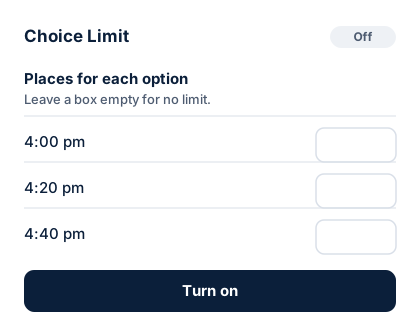
- 3Type the helpers each shift needsOpen Choice Limit from the add-ons button and type a number beside each shift.
- 4Choose Show it as full, with a waiting listExtra volunteers then have a place in line if someone drops out.
- 5Turn on and sharePress Turn on, then send the form link as usual.
Summer fair helpers
You are on the waiting list for Cake stall, 9:30 to 11:00 am
Every place for Cake stall, 9:30 to 11:00 am is taken at the moment, so you are on the waiting list.
Option
Cake stall, 9:30 to 11:00 am
On the waiting listWhat people see
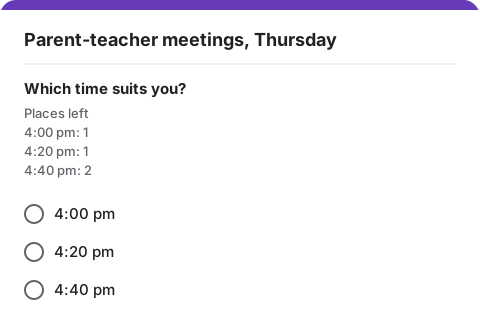
People fill in your ordinary Google Form. Under the question they see how many places are left for each option. A full option is hidden, or marked "full, join the waiting list".
- Anyone who joins a waiting list gets an email with their number in line.
- When a place opens up, the next person gets it and an email saying so.
- Emails come from your own Google account, so replies come to you.
Good to know
What Choice Limit does and does not do for this kind of form. Read the help page for more.
Someone drops out of one shift
Free this place frees only that shift. Their other shifts stay as they are, and the next person waiting moves up.
Overlapping shifts
Choice Limit does not know what time a shift runs, so it cannot stop someone ticking two shifts at once. Name each option with its time so volunteers can see.
Reminders
Choice Limit emails people when they join a waiting list and when a place becomes theirs. It does not send reminders before the day.
Free plan
The free plan covers up to 25 responses after limits are turned on. A bigger rota needs the $12 unlock, paid once.
Set limits on your volunteer shifts form
Install Choice Limit from the Google Workspace Marketplace, then make a copy of this form. Free for one form up to 25 responses, then $12 once.